Browser extension · responsive debugging
PixelParity
Precision display metrics for responsive work
Give a responsive bug report a reproducible viewport, zoom, and display context.
- Public source
- Published
Pending release
Markdown issue export (version 2.1.0)
Merged into the public source on September 13, 2026 and versioned 2.1.0 in the manifest. The Chrome Web Store listing had not been re-checked for that version when this page was published.
My role: Extension design, implementation, packaging, test automation, and store publication.
- TypeScript
- Preact
- Manifest V3
- Puppeteer E2E
At a glance
- Problem
- Responsive work needs live viewport, zoom, and device-pixel-ratio truth without heavyweight tooling or telemetry, and two screenshots of the same bug can still disagree about the environment behind them.
- My contribution
- Extension design, implementation, packaging, test automation, and store publication: a Manifest V3 extension in TypeScript and Preact, scoped to four permissions, with reproducible packaging and an isolated Chrome for Testing workflow.
- Outcome
- Published on the Chrome Web Store, with unit, accessibility, and packaged-extension end-to-end tests running on Linux, macOS, and Windows. Publication establishes availability, not adoption.
The popup and side panel reach the active tab through two permissions, compare it with a stored baseline, and export a Markdown issue.
In words
- The popup (popup.html) and the side panel (sidepanel.html) are the extension's two entry points.
- Both reach the inspected page through the activeTab and scripting permissions.
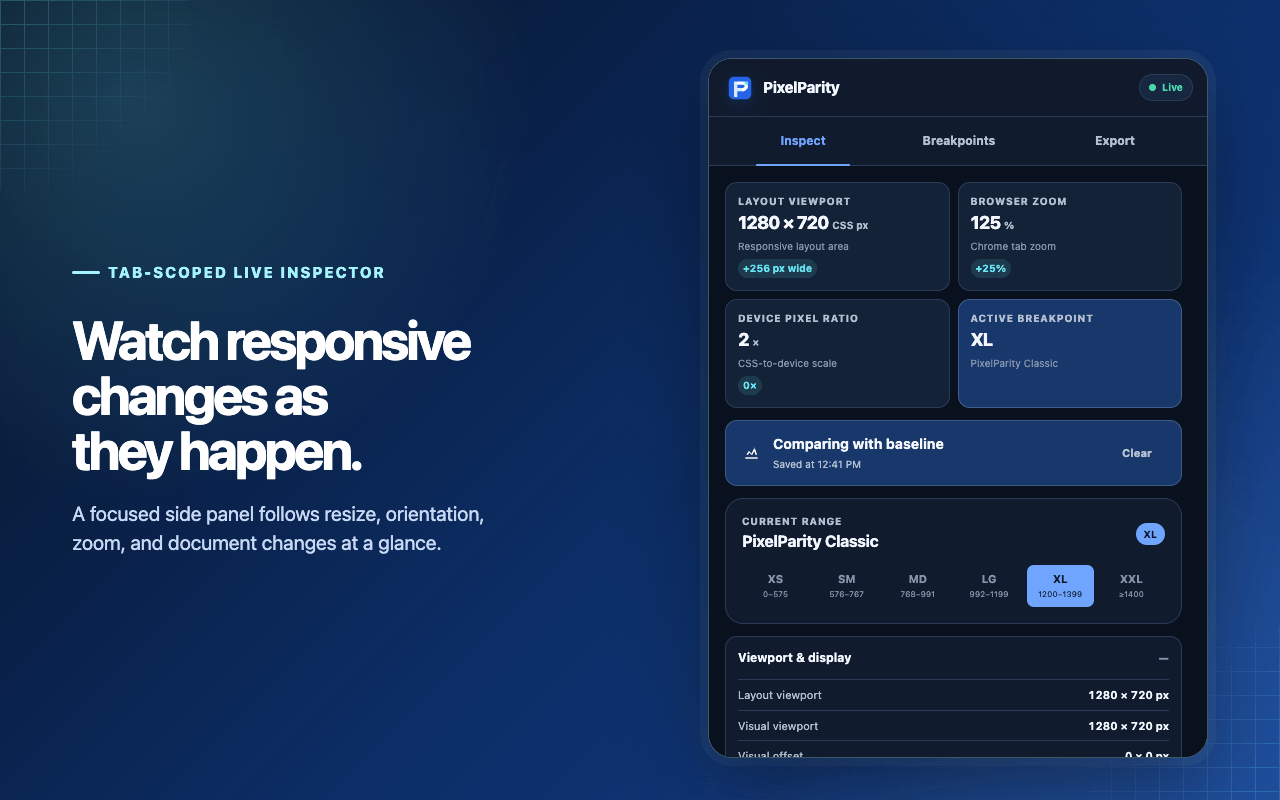
- From the active tab they read viewport, zoom, device pixel ratio, and active breakpoints.
- A captured baseline is kept with the storage permission.
- The Markdown export carries reproduction steps, metrics, and baseline deltas, with no page URL or title.
- The extension is Manifest V3, declares four permissions, and has no background service worker.
Derived from manifest.json on the default branch (version 2.1.0) and the README.
Engineering decisions
01
Capture the environment behind the screenshot
Viewport dimensions, browser zoom, device pixel ratio, and active breakpoints explain why two screenshots can disagree. Live metrics and baseline deltas make changes inspectable as the browser is resized.
02
Make the result portable
A guided baseline-to-issue workflow exports Markdown with reproduction steps, expected and actual behavior, current metrics, and baseline deltas. Page URLs and titles are excluded from the report.
Tradeoff
Excluding page URLs and titles keeps page identity out of the export; the reporter supplies the page reference separately.
03
Keep the extension's scope narrow
Manifest V3, Preact, and four permissions support a small local tool. Reproducible packaging and packaged-extension tests check the artifact that users install.
Tradeoff
Fewer permissions and no telemetry mean no usage data either, so adoption cannot be measured from the extension itself.
What you can verify
- Published Chrome Web Store listing.
- The manifest declares Manifest V3 and exactly four permissions: activeTab, scripting, storage, and sidePanel.
- Public source, a responsive bug fixture, a Markdown issue export, and reproducible packaging.
- Unit, accessibility, and extension E2E checks configured across Linux, macOS, and Windows.
Source and release links checked .
Scope and limits
Publication establishes availability. It does not establish active adoption or improved team productivity. Browser metrics also cannot reproduce every aspect of a physical device's rendering.
A short walkthrough
- 01
Open a responsive page and record its baseline.
- 02
Resize or change zoom until the layout crosses a breakpoint.
- 03
Export the display context with the observed mismatch for a reproducible issue.